
ACF fields point at the wrong site
Image, relationship, and post-object fields keep the source site's IDs — pages render with missing images and broken relationships on the destination.
New Auto-push on publish — queue a push the moment a post goes live. Learn more
From Development to Staging in one push.
Standalone plugin. No free version required — its own engine, its own tables, nothing shared at runtime.
Move content between WordPress sites.
Animated illustration — see the real admin screens
PostDeploy Pro moves Posts, Pages, and custom post types across unlimited connections, and correctly rewrites what usually falls apart in transit: ACF references, Elementor designs, and WPML translations.
Add a remote site once. PostDeploy verifies the connection and exchanges credentials — no server config, no SSH.
Push a post you're editing, or browse Remote Content to pull one in — single item or a bulk selection.
ACF, Elementor, and WPML references resolve automatically in transit, then verify against the destination before it's marked done.
Image, relationship, and post-object fields keep the source site's IDs — pages render with missing images and broken relationships on the destination.
Background images, galleries, and internal links stay pointed at the old site, or the whole layout collapses into a single text block.
A WPML translation migrates as an orphaned post, disconnected from its language group on the destination.
Without a restore point, a bad push means manually rebuilding the page from memory — or from a backup that's hours out of date.
Each one is a reasonable default for what it's actually built to do — none of them were built to move one piece of content between two already-live sites correctly.
| What matters | Copy-paste | WP export/import | Full-site migration | PostDeploy ProBuilt for this |
|---|---|---|---|---|
| Formatting & media | Dropped | Kept, but links break | Kept | Kept |
| ACF / Elementor / WPML references | Not applicable | Not rewritten | Fine — exact clone | Rewritten to real IDs |
| Undo if it goes wrong | No | No | Only your own backup | One-click rollback |
| Moves just the one page | Yes | Yes | No — the whole site | Yes |
Posts, Pages, and CPTs already move correctly. Pro is what makes the content inside them keep working — plus the workflow tooling a multi-site team actually needs.
Image, file, gallery, relationship, and post-object fields — including inside Repeater, Flexible Content, and Group sub-fields — get rewritten to the destination site's real IDs. Taxonomy fields resolve by slug; User fields match the destination account.
Get ProThe full page arrives as designed. Every image — backgrounds, galleries, tabs, even images inside HTML widgets and relative paths — is copied to the destination's media library and re-linked. Page settings such as Hide Title and custom CSS come along, along with the page template, and internal links repoint at their migrated copy.
Get ProPush one language, or every language in a translation group at once. Pull a specific translation from Remote Content and have it linked correctly into the destination's language group.
Get ProDivi bakes image and background URLs directly into its shortcode and block markup instead of linking them by attachment ID — every reference is found and rewritten to the destination's real copy, tablet and phone background variants included, in both classic Divi 4 and block-based Divi 5 content. The Gallery module's attachment-ID list resolves correctly too.
Get ProReal field, term, media, and ACF counts on the Review & Pull screen before you commit — not a flat "Included" placeholder.
Select multiple posts and deploy now, once at a future time, or on a recurring schedule — for pushing your own content and pulling from a connection alike.
Pick a destination right on the post editor screen, and PostDeploy queues a push to that site as soon as the post goes live — including a normal WordPress scheduled publish, not just a manual click. It's opt-in per post, fires once when the post is published, and anything you don't set up stays untouched.
The Dashboard flags any page that's been pushed before but edited again since — a clear status right next to it, scoped to the exact destination it's gone stale against. Nothing pushes on its own; you decide when it's ready and push it yourself.
Undo a deployment, or browse every past restore point for a post and roll back to any of them. Old snapshots prune automatically after 90 days.
wp postdeploy status / connections / push / pull / deployments / retry / rollback — the exact same service layer the admin screens use.
A dedicated postdeploy-pro/v1 API for deployments, diagnostics, and capabilities — authenticated like any WordPress REST endpoint.
Environment, connection, media, and queue health in one place — plus a record of who deployed what, from where, and whether it succeeded.
Connect a WordPress multisite subsite the same way you'd connect any standalone site — its own URL, its own connection. The same reference resolution and conflict detection apply, no extra setup required.
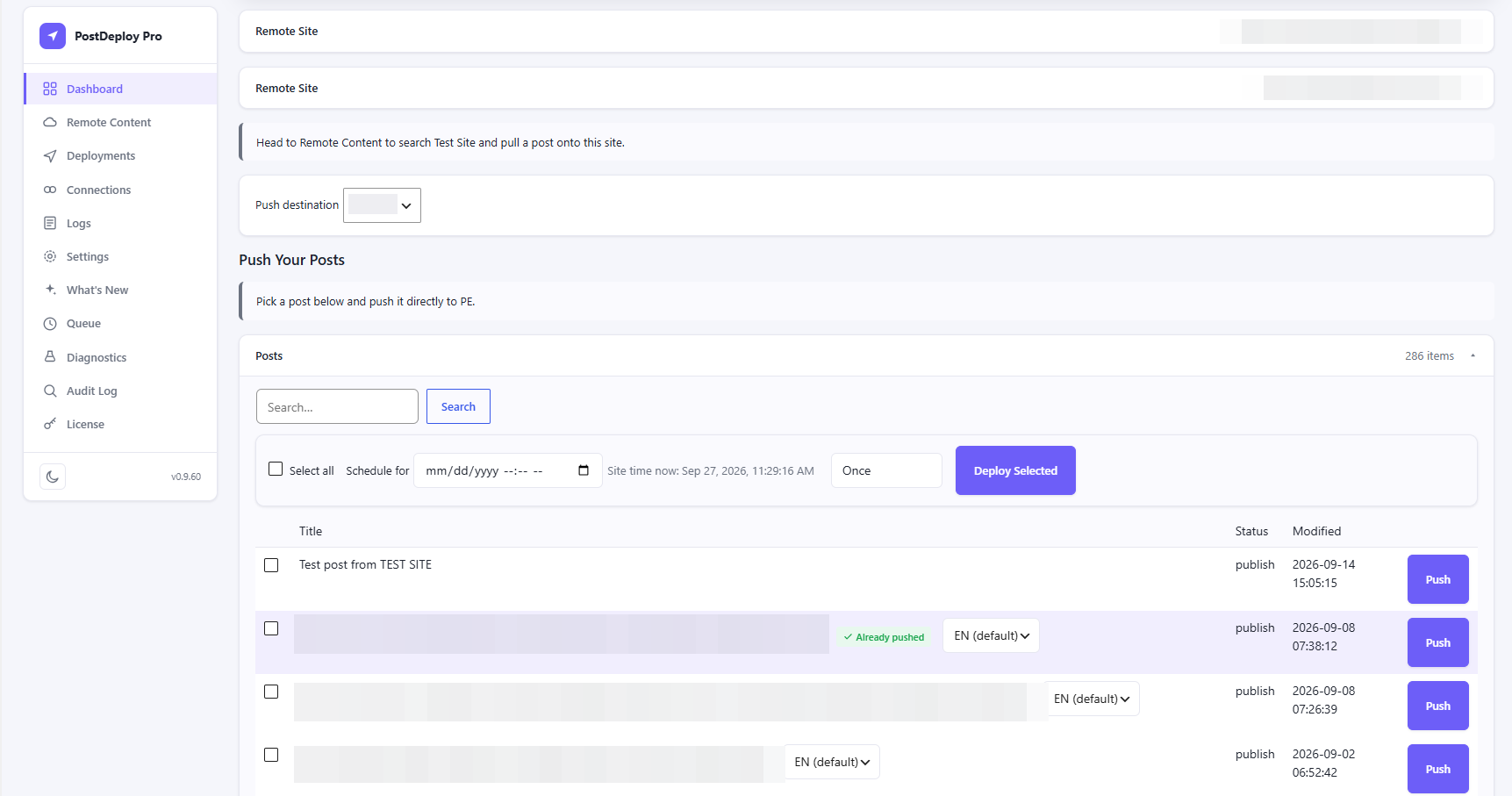
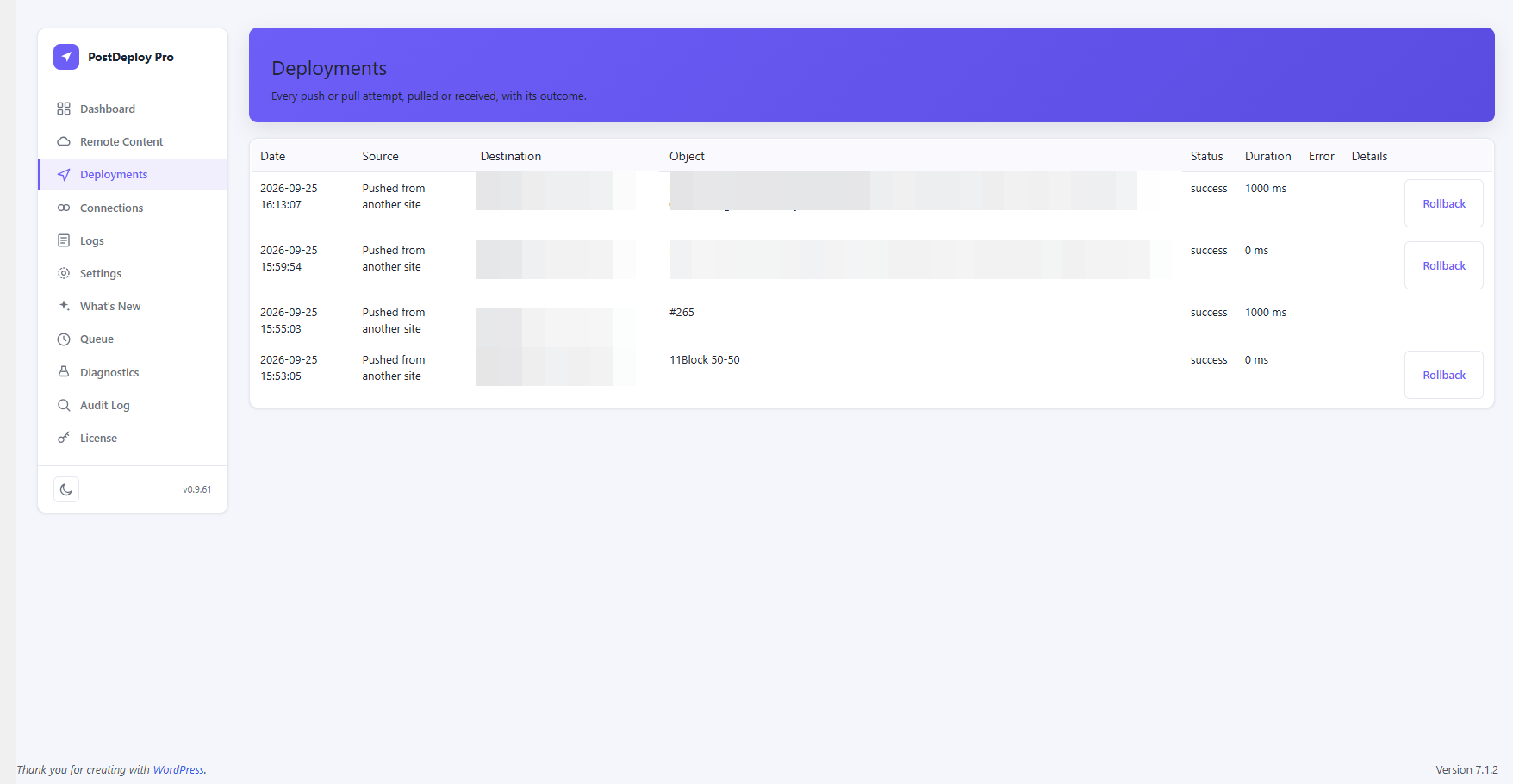
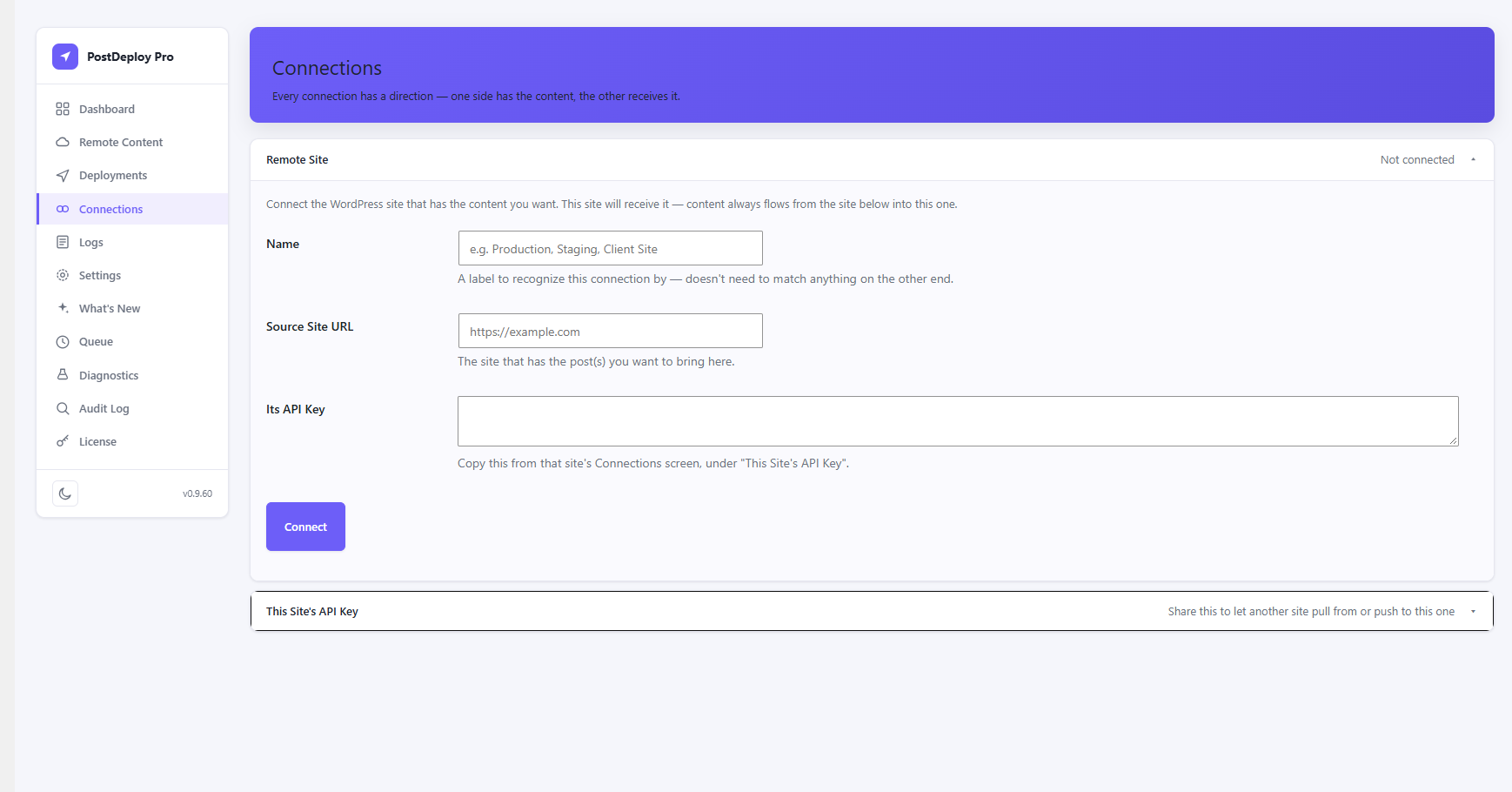
Site names and post titles in these screenshots are blurred — they're from a real client site, not a demo.
None of this is theoretical — it's what surfaces once a plugin like this runs against real staging and production sites.
$ wp postdeploy push 4821 --to=production
Resolving ACF references… 3 fields rewritten
Resolving Elementor media… 6 references rewritten
Verifying destination… passed
✓ Deployed post #4821 → production (2.1s)
Not the same as copy-pasting, WP export/import, or a full-site migration plugin — see how they compare above.
| Capability | Free | ProRecommended |
|---|---|---|
| Core migration | ||
| Posts & Pages | Included | Included |
| Custom post types | Included | Included |
| Unlimited remote connections | Included | Included |
| Advanced integrations | ||
| ACF reference resolution | Not included | Included |
| Elementor reference resolution | Not included | Included |
| WPML language management | Not included | Included |
| Deployment preview | Not included | Included |
| Workflow & automation | ||
| Bulk & scheduled deployment | Not included | Included |
| Auto-push on publish | Not included | Included |
| Rollback & snapshot history | Not included | Included |
| WP-CLI | Not included | Included |
| REST automation | Not included | Included |
| Visibility | ||
| Diagnostics & audit log | Not included | Included |
Core migration
Advanced integrations
Workflow & automation
Visibility
Every paid tier includes the full Pro feature set above. The only difference is how many connected sites you can run it on.

$0
1 site
$59/yr
1 site
$119/yr
3 sites
$179/yr
10 sites
$229/yr
Unlimited sites
Secure checkout via Freemius — card details never touch our servers
Every Pro tier includes the full feature set — tiers differ by site count, and Agency and above add priority email support.
Already purchased? Manage your subscription, invoices, and license key through the customer portal. Have a question before buying, or hit an issue with checkout? Reach out directly.
Every purchase is backed by our 14-day, no-risk money-back guarantee. If PostDeploy Pro doesn't work out for you, just ask within 14 days and we'll refund it in full. No reason required, no conditions attached.
No. PostDeploy Pro has its own complete, independent migration engine built in — installing just Pro gives you everything, including Posts/Pages/CPT migration and unlimited connections, not just the Pro-only features above. It was originally built from the same codebase as the free plugin, but the two don't share any code, database tables, or settings at runtime.
Pro stays inactive — it detects Free and refuses to boot, showing an admin notice asking you to deactivate or delete Free instead. This isn't a technical conflict (there genuinely isn't one — separate classes, tables, and settings); it's to avoid the confusing state of two separate "PostDeploy" menus and connection lists on one site.
Yes. Free and Pro speak the same site-to-site connection protocol, so a connection works identically no matter which side is Free or Pro. For the best results keep both sites on the latest release of each plugin.
In wp-admin, open PostDeploy Pro → License, paste your license key, and click Activate License — it's built right into the plugin, no separate account screen. Your key is available from the customer portal after purchase. The first time a site connects, you may be asked to confirm by email before the license becomes active.
Everything you've already created keeps working: existing snapshots stay restorable, deployments already queued or scheduled still run, and the core migration engine — Posts, Pages, CPTs, and your connections — isn't locked. What stops is new use of Pro-only features (ACF, Elementor & WPML resolution, new snapshots, new bulk and scheduled deployments, setting up auto-push, and WP-CLI) until the license is active again.
By default, nothing is removed — snapshots, queue history, and the audit log all survive. They're only deleted if you've explicitly checked the "delete migration history and settings on uninstall" option on the Settings page.
Themes, plugins, and site settings stay put — and so do Elementor Theme Builder layouts and images that aren't in the media library. A page's template name is carried across, but the theme's template file has to exist on the receiving site. The docs have the full list.
The troubleshooting guide lists the messages you might see, what causes each one, and how to fix it. If it isn't there, contact us through your account.
There's no free trial, but every purchase is covered by a 14-day money-back guarantee — if it doesn't work out, you get a full refund, no conditions attached (see the Refund Policy). You can also start with the free PostDeploy plugin to try the core deployment engine before deciding whether you need Pro.
Divi bakes image and background URLs directly into its shortcode and block markup instead of linking them by attachment ID. Here's why that breaks a plain copy, and what has to happen to fix it.
Read postWordPress's built-in Export/Import tool moves posts between sites, but it wasn't built to carry ACF fields, Elementor designs, or image references across intact.
Read postPostDeploy Pro — stop copy-pasting content between WordPress sites.
Get Pro